Post
AULA F75 Pro Wireless Mechanical Keyboard Review: Budget Keyboard That Feels Surprisingly Premium
May
The mechanical keyboard market has become incredibly competitive over the last few years. What used to be a niche hobby for enthusiasts has now exploded into the mainstream, with brands constantly trying to deliver premium typing experiences at more affordable prices. Somewhere in the middle of this crowded market sits the AULA F75 Pro — a keyboard that has quietly built a reputation for offering features and sound quality usually found on much more expensive boards.
For gamers, students, office workers, and keyboard enthusiasts on a budget, the F75 Pro has become one of the most talked-about 75% wireless keyboards recently. But does it actually live up to the hype?
After spending time looking at real-world user impressions, long-term feedback, and detailed reviews, the answer is surprisingly positive.

Best Overall
The AULA F75 Pro immediately stands out because it doesn’t feel like a typical “cheap” mechanical keyboard. From the moment you place it on your desk, it gives off a more refined and enthusiast-focused vibe compared to many entry-level gaming keyboards.
Its 75% layout is one of the biggest reasons for its popularity. You still get dedicated arrow keys and a function row, but the overall footprint is much smaller than a full-size keyboard. That extra desk space makes a noticeable difference, especially for gaming setups where mouse room matters.
The keyboard also includes a rotary knob, RGB lighting, hot-swappable switches, gasket mounting, and tri-mode connectivity — features that used to belong almost exclusively to custom keyboards or premium enthusiast boards.
At this price range, that combination alone is already impressive.

Design and Build Quality
One of the first things people notice about the F75 Pro is how solid it feels. While the case itself is plastic rather than aluminum, the keyboard has very little flex and carries enough weight to feel stable during heavy typing sessions. Multiple reviews mention that it feels far more premium than expected for the price.
The design leans toward a modern enthusiast aesthetic rather than the aggressive “gamer” look many budget keyboards still use. The side-printed PBT keycaps help give the keyboard a cleaner appearance, while the RGB lighting creates a soft underglow effect instead of an overly flashy rainbow explosion.
The rotary knob is another welcome addition. It adds convenience for controlling volume or media without needing complicated shortcuts. While some users noted the knob feels slightly loose, it still functions well and adds to the premium experience overall.
The gasket-mounted structure also deserves attention. Unlike traditional tray-mounted keyboards that can feel stiff or hollow, gasket mounting introduces a softer and slightly cushioned typing feel. Combined with foam dampening inside the case, the F75 Pro delivers a deeper, more satisfying sound profile than most stock keyboards in this category.
Typing Experience
This is where the AULA F75 Pro really shines.
The keyboard is often described as “thocky,” “creamy,” or “marbly” — terms mechanical keyboard enthusiasts use to describe a deeper and smoother typing sound. Unlike the high-pitched rattling common on cheaper boards, the F75 Pro sounds controlled and refined straight out of the box.
Many variants come equipped with pre-lubed linear switches such as the LEOBOG Reaper switches, which contribute heavily to the smooth typing experience. The switches feel light, responsive, and comfortable for both gaming and productivity tasks.
For long typing sessions, the keyboard performs surprisingly well. Users who code, write, or work for hours at a desk consistently mention that the typing feel remains comfortable without causing fatigue.
The stabilizers are also impressive for a keyboard in this price range. Large keys like the spacebar and enter key avoid the loud rattling issues that plague many budget mechanical keyboards.
Of course, the experience may vary slightly depending on which switch option you choose, but overall, the F75 Pro delivers one of the strongest stock typing experiences under the $100 mark.

Gaming Performance
Although the keyboard has become popular among keyboard enthusiasts, it is still fundamentally designed with gamers in mind.
The F75 Pro supports full N-key rollover and anti-ghosting, meaning every key press registers accurately even during fast gameplay. Wireless latency is also surprisingly solid through the 2.4GHz connection, making it perfectly usable for competitive gaming sessions.
The compact 75% layout especially benefits FPS players by freeing up more mouse space. If you play games like Valorant, CS2, Apex Legends, or Fortnite, the smaller layout feels much more comfortable compared to a full-sized keyboard.
Gaming on the F75 Pro also simply feels enjoyable because of the acoustics. Every movement, reload, and input has a satisfying sound signature that makes the keyboard feel more premium than many mainstream gaming boards from larger brands.
That said, the keyboard is not entirely perfect.
Some reviewers reported quality control inconsistencies between units, including minor case issues or stabilizer inconsistencies. One reviewer even experienced problems with the spacebar on their specific unit.
Fortunately, these complaints appear relatively uncommon compared to the overwhelmingly positive feedback surrounding the keyboard overall.
Wireless Connectivity and Battery Life
The F75 Pro supports three connection modes:
- USB-C wired
- 2.4GHz wireless
- Bluetooth 5.0
Switching between devices is quick and convenient, which makes the keyboard excellent for people who alternate between gaming PCs, laptops, tablets, or work setups.
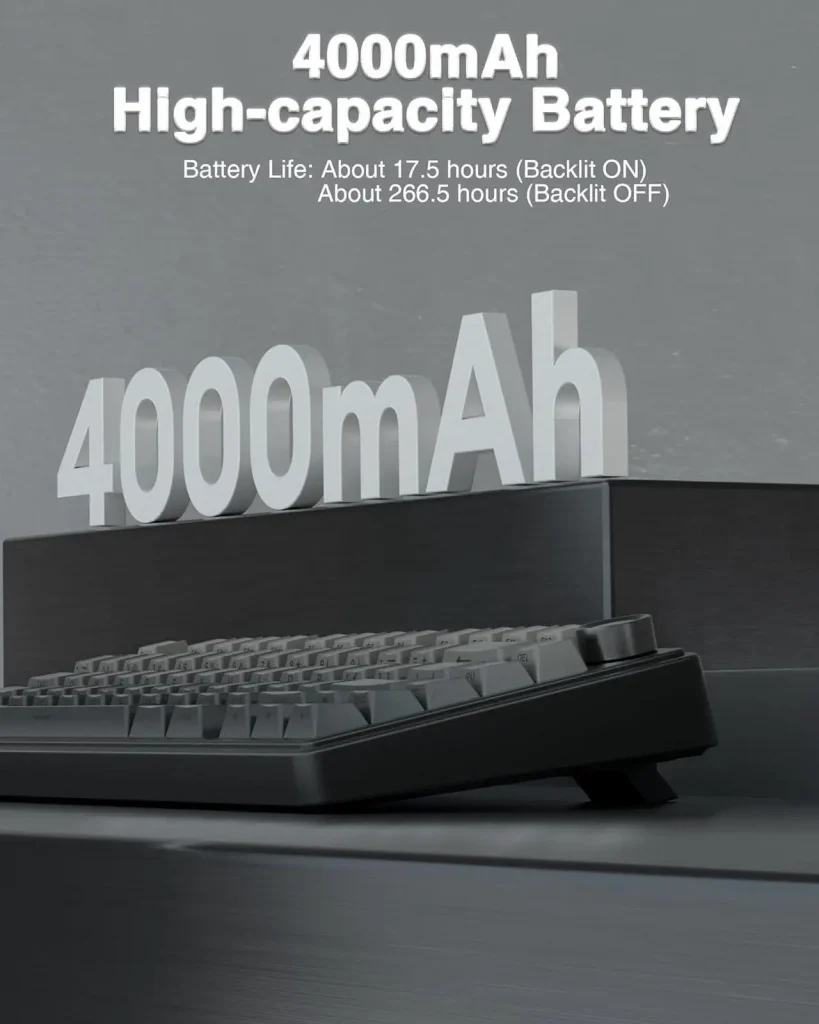
Battery life is respectable thanks to the built-in 4000mAh battery. Most users report several days of use with RGB lighting enabled and over a week with lighting disabled or reduced.
For many people, this balance between wireless convenience and mechanical keyboard quality is exactly what makes the F75 Pro so appealing.

Customization and Hot-Swap Features
Another major advantage is the hot-swappable PCB.
This allows users to replace switches without soldering, making the keyboard beginner-friendly for customization. Whether you prefer lighter linear switches, tactile switches, or clicky options, the F75 Pro gives you room to experiment.
The keyboard also supports RGB customization and onboard controls, though software support appears to be one of the weaker aspects of the product. Some users have experienced issues connecting the software properly or finding compatible firmware versions.
Still, many owners simply use the keyboard without relying heavily on software at all.

Final Verdict
The AULA F75 Pro is one of those keyboards that genuinely disrupts expectations.
It offers features that were once reserved for premium enthusiast keyboards — gasket mounting, hot-swappable switches, tri-mode wireless connectivity, foam dampening, and impressive acoustics — all at a price that remains accessible to most users.
Is it flawless? No.
The software experience could definitely improve, and quality control may vary slightly between units. But when you focus on the core experience — typing feel, sound profile, connectivity, and overall value — the F75 Pro punches far above its price class.
For newcomers entering the mechanical keyboard world, it is an excellent starting point. For experienced users looking for a budget-friendly secondary board, it is surprisingly competitive. And for gamers who want something compact, wireless, and satisfying to use every day, the F75 Pro is easily one of the best-value options currently available.
If there is one thing the AULA F75 Pro proves, it is that you no longer need to spend hundreds of dollars to enjoy a genuinely premium mechanical keyboard experience.
