Post
Logitech MX Mechanical Mini Wireless Illuminated Keyboard Review – The Best Productivity Keyboard for Professionals?
May
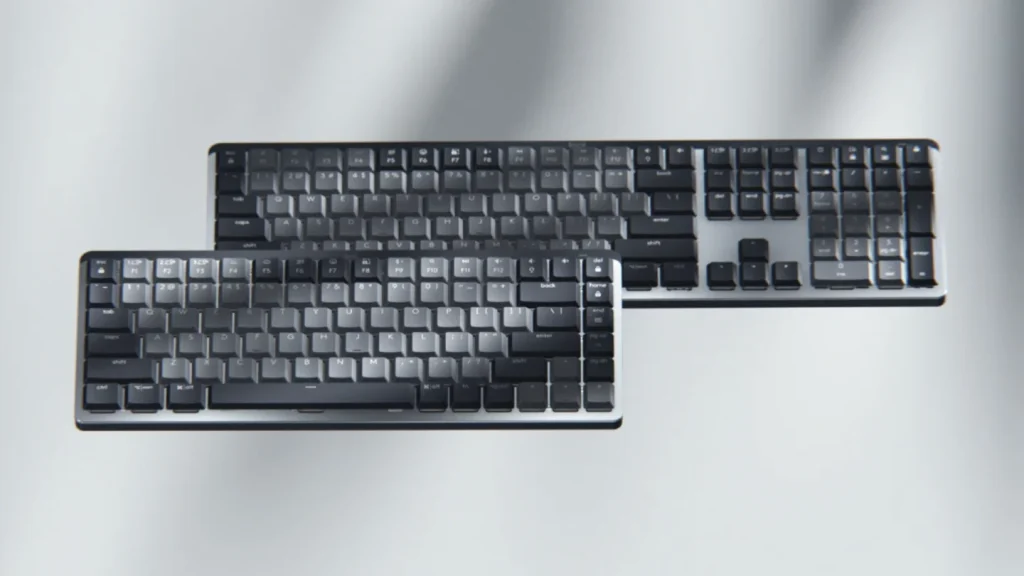
The mechanical keyboard market is filled with flashy gaming boards covered in RGB lighting, loud switches, and aggressive designs. But the Logitech MX Mechanical Mini Wireless Illuminated Keyboard takes a completely different approach.
Instead of focusing on esports performance, Logitech designed the MX Mechanical Mini for professionals, programmers, creators, office users, and remote workers who want a premium typing experience without sacrificing comfort, portability, or productivity features.
The result is a compact low-profile mechanical keyboard that blends modern office aesthetics with surprisingly satisfying mechanical switches, excellent wireless connectivity, and some of the best multi-device support available today.
After spending time researching expert reviews, long-term user feedback, and enthusiast opinions, the MX Mechanical Mini stands out as one of the strongest productivity-focused wireless keyboards on the market — although it is not perfect for everyone.
Minimalist Design That Looks Premium Anywhere
The first thing you notice about the MX Mechanical Mini is how clean and professional it looks.
Unlike traditional gaming keyboards, Logitech keeps the design subtle and modern. The aluminum top plate, floating low-profile keycaps, dark graphite finish, and compact layout give the keyboard a premium office aesthetic that fits perfectly in:
- Home offices
- Creative studios
- Corporate workspaces
- Minimal desk setups
- MacBook environments
The keyboard uses a compact 75% layout, meaning it removes the numpad while keeping:
- Function keys
- Arrow keys
- Navigation controls
This layout strikes a great balance between compactness and usability. It saves desk space without forcing users to sacrifice important keys.
Several reviewers praised the intelligent layout and slim form factor. PCWorld specifically described it as “tiny and super-thin” while still maintaining excellent usability.
The keyboard also feels extremely solid. The aluminum top plate adds rigidity and premium weight, helping it feel far more expensive than many wireless keyboards.
Low-Profile Mechanical Switches Feel Surprisingly Good
One of the biggest selling points of the MX Mechanical Mini is its low-profile mechanical switch design.
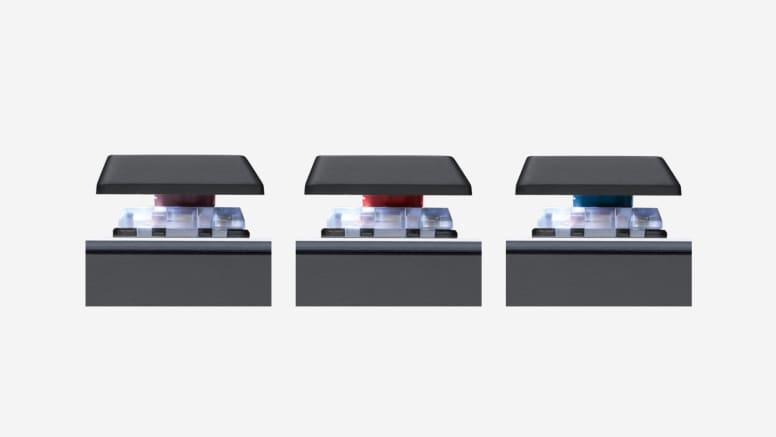
Logitech partnered with Kailh to create three switch options:
- Tactile Quiet (Brown)
- Clicky (Blue)
- Linear (Red)
Most reviewers tested the Tactile Quiet version, which is clearly designed for office environments.
The switches provide:
- Shorter travel distance
- Faster actuation
- Lower typing fatigue
- Quieter sound profile
- Comfortable long-term typing
Tom’s Hardware praised the keyboard for delivering an “excellent typing experience” despite its slim design.
Trusted Reviews also highlighted how comfortable and responsive the Tactile Quiet switches feel for productivity workloads.
The typing experience feels different from traditional full-height mechanical keyboards. Instead of deep travel and loud acoustics, the MX Mechanical Mini prioritizes speed, comfort, and efficiency.
For office work, programming, emails, writing, and general productivity, this approach works extremely well.
That said, mechanical keyboard enthusiasts may find the typing feel less exciting than enthusiast-focused custom keyboards. Some Reddit users described the brown switches as “forgettable” compared to more enthusiast-oriented boards.
Still, for mainstream users transitioning from laptops or membrane keyboards, the MX Mechanical Mini often feels like a major upgrade.
One of the Best Multi-Device Wireless Experiences
This is where Logitech truly dominates.
The MX Mechanical Mini supports:
- Bluetooth
- Logitech Bolt receiver
- Multi-device pairing for up to 3 devices
Switching between devices is incredibly simple thanks to Logitech’s Easy-Switch buttons.
You can seamlessly jump between:
- Windows PCs
- MacBooks
- iPads
- Linux devices
- Tablets
For people who work across multiple systems daily, this feature alone becomes incredibly valuable.
TechRadar specifically praised the keyboard’s ability to replace multiple peripherals thanks to its seamless device switching.
The keyboard also integrates with Logi Flow, allowing users to move between multiple computers almost as if they were a single system.
For hybrid workers and remote professionals, the convenience is genuinely excellent.
Smart Backlighting Is More Useful Than Gimmicky RGB
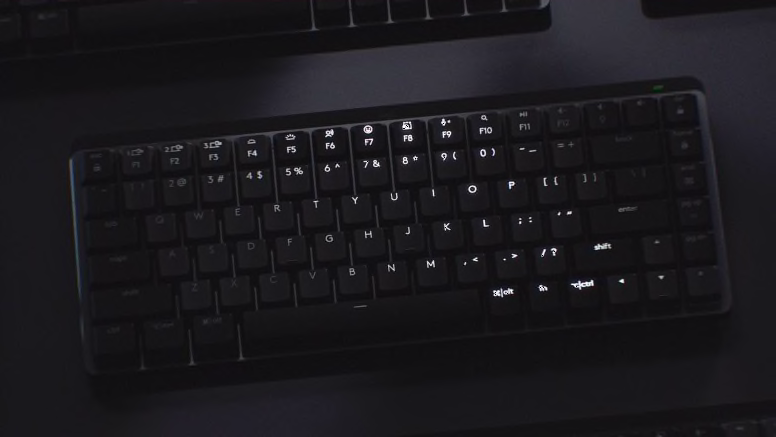
The MX Mechanical Mini includes white LED backlighting rather than flashy RGB effects.
At first glance, this may sound boring compared to gaming keyboards, but Logitech implemented the lighting intelligently.
Features include:
- Hand proximity detection
- Automatic brightness adjustment
- Ambient light sensing
- Auto-off battery saving
The keyboard lights up as your hands approach and dims automatically when not in use.
Several users described this as one of those small features that becomes surprisingly hard to live without once you get used to it.
The lighting looks clean and professional rather than distracting.
However, one weakness is battery life with the backlighting enabled.
Logitech advertises:
- Up to 15 days with lighting on
- Up to 10 months with lighting off
Most reviewers found these estimates fairly realistic.
Still, compared to non-backlit keyboards, frequent charging is inevitable if you keep the lighting active constantly.
Excellent Software for Productivity Users
The MX Mechanical Mini works with Logitech Options+ software, which allows:
- Function key customization
- App-specific shortcuts
- Gesture assignments
- Flow integration
- Backlight adjustments
For productivity users, the software ecosystem is one of the keyboard’s strongest advantages.
You can create custom shortcuts for:
- Adobe apps
- Browsers
- Video editing software
- Coding tools
- Office applications
Unlike enthusiast keyboards that require complicated firmware flashing or QMK setups, Logitech’s software feels approachable and polished for everyday users.
That said, some Reddit users criticized the software for feeling bloated compared to enthusiast keyboard firmware ecosystems like VIA or QMK.
Still, for mainstream consumers, Logitech Options+ is significantly easier to use.

The Typing Experience Is Designed for Long Work Sessions
The biggest strength of the MX Mechanical Mini is comfort.
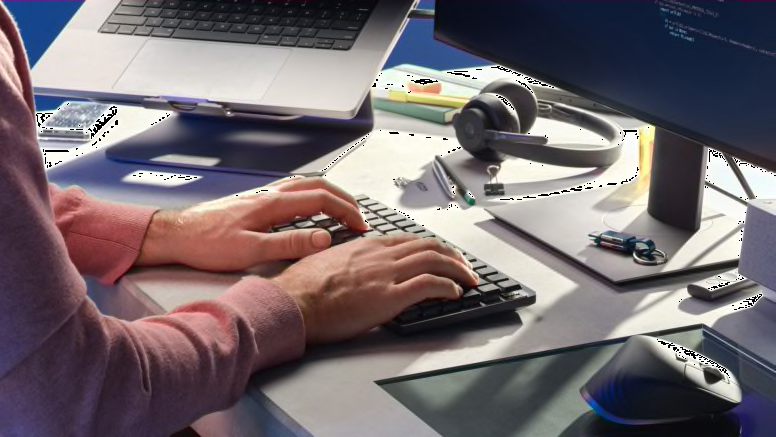
This keyboard is clearly designed for people who spend:
- 8+ hours typing
- Working remotely
- Writing documents
- Programming
- Managing spreadsheets
- Editing content
The low-profile design reduces wrist strain compared to taller mechanical keyboards.
Several users transitioning from Apple Magic Keyboards or laptops appreciated how easy the adjustment period felt.
The keys themselves have a slightly concave shape that helps guide your fingers naturally during typing.
The keyboard also remains impressively quiet compared to traditional mechanical boards, especially with the Tactile Quiet switches.
For shared offices or late-night work sessions, this matters a lot.
Where the MX Mechanical Mini Falls Short
The MX Mechanical Mini is excellent overall, but there are a few clear weaknesses.
Expensive Price
This is not a budget keyboard.
Many reviewers agreed that the MX Mechanical Mini feels overpriced compared to enthusiast mechanical keyboards with better customization options.
Limited Customization
Unlike enthusiast keyboards, you cannot:
- Easily swap keycaps
- Deeply customize firmware
- Modify acoustics extensively
This keyboard targets mainstream professionals rather than keyboard hobbyists.
Not Ideal for Gaming
While perfectly usable for casual gaming, the MX Mechanical Mini is not built for competitive esports.
There is:
- No ultra-high polling rate
- No Hall Effect switches
- No Rapid Trigger features
Typing Feel May Be Too Shallow for Enthusiasts
Some enthusiasts felt the low-profile switches lacked the satisfying depth of traditional mechanical keyboards.
Final Verdict – One of the Best Productivity Keyboards Available Today
The Logitech MX Mechanical Mini succeeds because it understands exactly who it is made for.
This is not a keyboard for hardcore enthusiasts chasing custom acoustics or esports gamers demanding magnetic switches.
Instead, it is designed for:
- Professionals
- Programmers
- Writers
- Remote workers
- MacBook users
- Productivity-focused users
And for those people, it delivers an exceptional experience.
Its combination of:
- Premium minimalist design
- Comfortable low-profile mechanical switches
- Excellent wireless connectivity
- Smart backlighting
- Multi-device support
- Long battery life
- Strong productivity software
…makes it one of the best wireless productivity keyboards currently available.
If you want a mechanical keyboard that feels professional, reliable, comfortable, and polished rather than flashy, the Logitech MX Mechanical Mini is incredibly easy to recommend.

